Free Guide
Storing API Keys Safely in Python with .env and python-dotenv
Hardcoding a secret feels harmless because the cost is invisible at the moment you do it. The script runs, the key works, nothing breaks. The damage shows up later. The file gets pushed to a public repository, or shared in a bug report, or pasted into a chat, and now a live credential is sitting somewhere you cannot fully control. Even deleting the line does not undo it, because git keeps the old version in its history forever.
This guide shows the standard fix: keep secrets in a .env file, load them at runtime with python-dotenv, and make sure that file never enters version control. You will see how to read the values, how to fail loudly when one is missing, and why production usually does not ship a .env file at all. It assumes Python 3.10 or later.
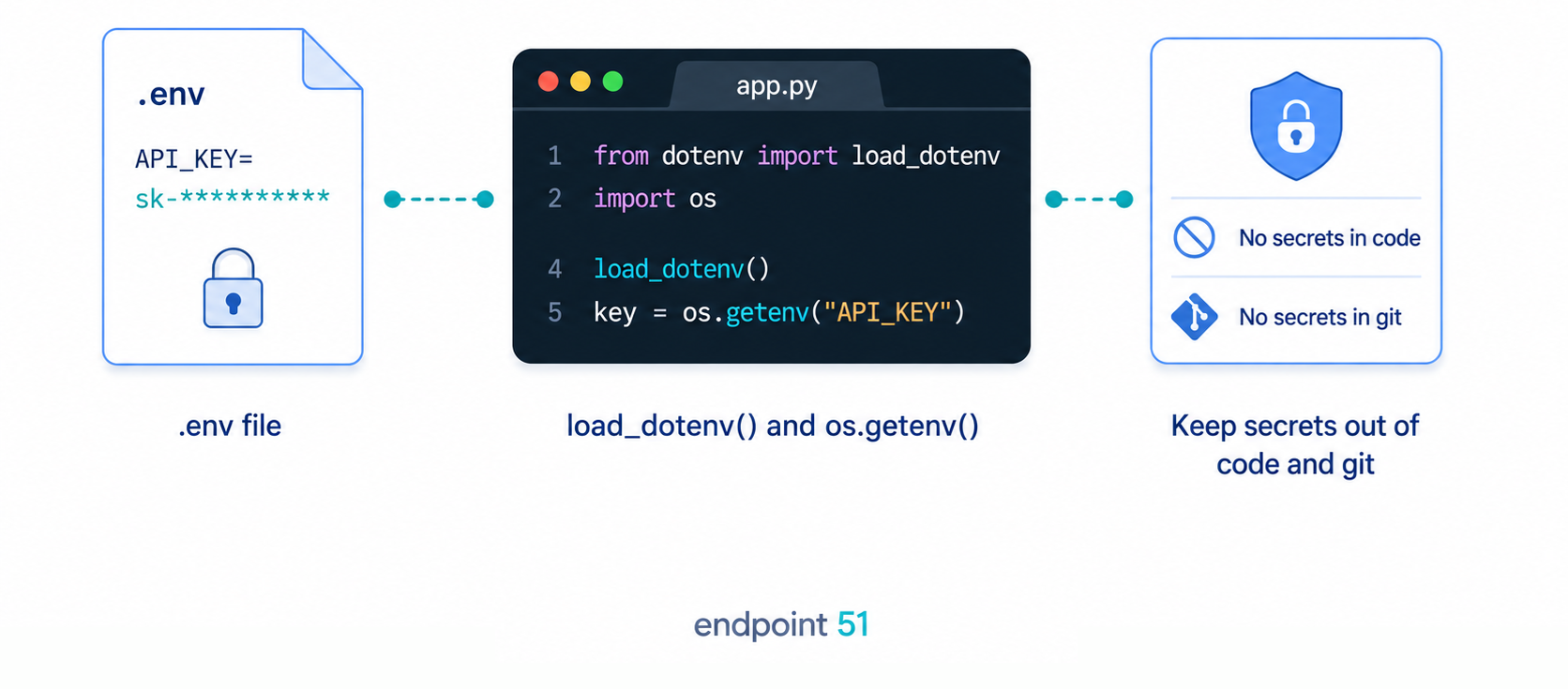
The fix in one minute
The whole pattern has three parts: a file that holds your secrets, a package that reads it, and a single call that loads it into the environment. Start by installing the package.
pip install python-dotenv
Note the names. The package you install is python-dotenv, but the thing you import is dotenv. Next, create a file called .env in your project root. For simple API keys, use one KEY=value pair per line, with no quotes and no spaces around the equals sign.
API_KEY=replace-with-your-api-key
SPOTIFY_CLIENT_ID=replace-with-your-client-id
SPOTIFY_CLIENT_SECRET=replace-with-your-client-secret
Then, at the top of your program, load it. The load_dotenv() call reads the file and copies each pair into the process environment, the same place the operating system keeps variables like PATH.
from dotenv import load_dotenv

load_dotenv()
That is the entire mechanism. Your secrets now live in one file, separate from your code, and the next section reads them back out.
Reading the values in your code
Once load_dotenv() has run, the values are in the environment, and Python reads the environment through the os module. There are two ways to pull a value out, and the difference between them matters.
import os
from dotenv import load_dotenv

load_dotenv()

api_key = os.getenv("API_KEY")
The os.getenv("API_KEY") call returns the value if it is set and returns None if it is not. It never raises. That is forgiving, which is convenient until a missing key turns into a confusing failure much later. The alternative, os.environ["API_KEY"], raises a KeyError immediately if the variable is absent. You can also give getenv a fallback as its second argument, os.getenv("TIMEOUT", "10"), which is handy for optional settings but wrong for secrets, since a default secret is no secret at all.
With the key in a variable, you use it like any other value. A common case is putting it in a request header.
import os
import requests
from dotenv import load_dotenv

load_dotenv()

api_key = os.environ["API_KEY"]

response = requests.get(
    "https://api.example.com/data",
    headers={"Authorization": f"Bearer {api_key}"},
    timeout=10,
)
The key never appears in the source file. It comes from the environment at runtime, which means the same code runs unchanged whether the value lives in your local .env or is set some other way entirely on a server. This example uses os.environ["API_KEY"] so a missing key fails immediately instead of quietly sending Bearer None.
That is the whole path, from file to running code:
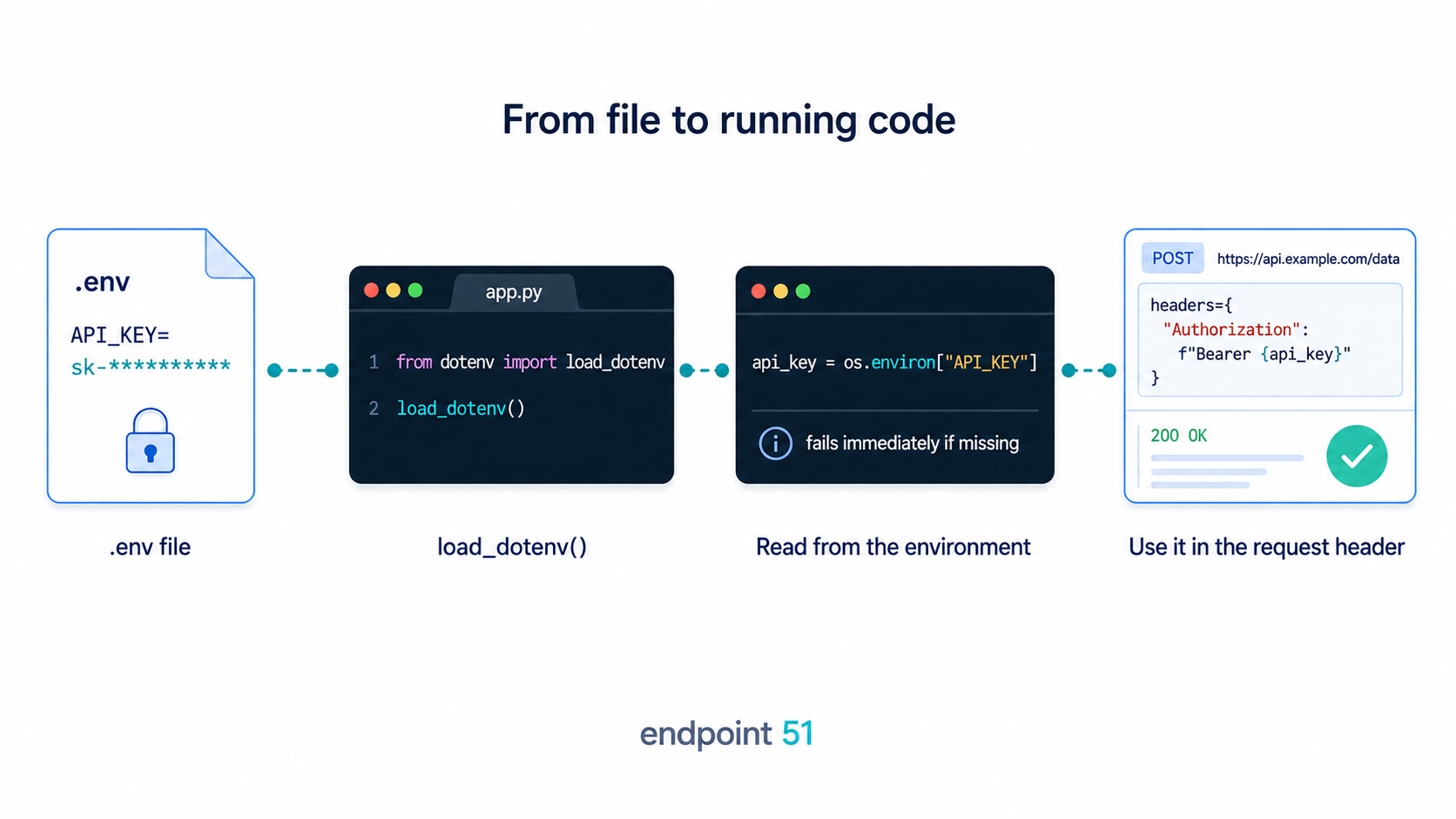
load_dotenv() copies your .env values into the process environment, where your code reads each one by name with os.getenv(). The secret never sits in your source.
The most important line
Everything above is undone the moment your .env file gets committed. The single most important step in this whole guide is telling git to ignore it. Create or open .gitignore in your project root and add the file.
.env
With that line in place, an untracked .env file will not be added by an absent-minded git add . later. This one line is the difference between a secret that stays on your machine and one that ends up in a repository.
If .env was already committed before you added the ignore rule, .gitignore will not untrack it by itself. Remove it from git's index while keeping the local file on disk:
git rm --cached .envThat stops future commits from tracking the file, but it does not make the old secret safe. The committed value is still in history, so rotate the key too.
A committed .env is a leaked key, even after you delete it
If you commit .env and then remove it in a later commit, the secret is still in your git history, recoverable by anyone with a clone. Deleting the file does not delete the past. The signature is a key that "isn't in the code" but turns up in git log -p or on a forked repository. The only real fix is to treat the key as compromised and rotate it: generate a new one in the provider's dashboard and revoke the old. Add .env to .gitignore before your first commit, not after.
Documenting what is needed with .env.example
Ignoring .env creates a small problem. A teammate who clones the project has no idea which variables it expects, because the file that lists them is the one file they never receive. The convention that solves this is a second file, .env.example, that documents the shape without the secrets.
API_KEY=
SPOTIFY_CLIENT_ID=
SPOTIFY_CLIENT_SECRET=
This file has the same keys as the real one but empty values, and unlike .env it is committed. Anyone setting up the project copies it to .env with cp .env.example .env and fills in their own values. It serves as living documentation of every secret the app needs, and because it carries no real values, committing it leaks nothing.
Failing loudly when a secret is missing
Because os.getenv returns None for an unset variable, a missing key does not announce itself. The None flows quietly into your code and surfaces much later, often as a 401 Unauthorized from the API or a cryptic error deep inside a request, far from the real cause. The fix is to check for required secrets once, at startup, and stop immediately with a clear message if one is absent.
import os
from dotenv import load_dotenv

load_dotenv()

API_KEY = os.getenv("API_KEY")

if not API_KEY:
    raise RuntimeError(
        "API_KEY is not set. Copy .env.example to .env and add your key."
    )
Reading and validating secrets in one small config.py module, imported early, means the program refuses to start without what it needs, and the error names the missing variable and how to fix it. That turns a baffling failure halfway through a run into an obvious one on the first line, which is exactly where you want it.
Secrets in production
Here is the part that surprises people. In production you usually do not ship a .env file at all. The .env approach is a local-development convenience, a way to keep secrets out of your code while you work on your own machine. Deployment platforms set environment variables a different way.
Platforms like Render or Railway, and CI systems like GitHub Actions, let you set environment variables in their dashboard or configuration, and they inject those into the process directly. There is no file to upload. Your code still calls os.getenv("API_KEY") and gets the right value, because as far as Python is concerned the variable is simply present in the environment. By default, load_dotenv() does not override real environment variables that are already set, but many teams still call it only in local development so a stray production .env file cannot supply a value unexpectedly.
Secrets are configuration, not code
This is the twelve-factor idea: anything that changes between environments, including secrets, is configuration and belongs in the environment, not baked into the source. The payoff is that one piece of code reads os.getenv("API_KEY") and does not care where the value came from, your local .env in development or the platform's settings in production. The code stays identical across environments; only the values differ.
Frequently asked questions
Is python-dotenv safe to use in production?
It can run in production, but it is usually not how secrets get set there. Deployment platforms and CI systems inject real environment variables through their own dashboards or configuration, so there is no committed file to read. python-dotenv is mainly a local-development convenience for loading a .env file on your own machine. By default it does not override environment variables that already exist, but many teams only call it locally to keep production configuration explicit.
What should I do if I accidentally committed my .env file?
Treat the key as compromised and rotate it immediately: generate a new one in the provider's dashboard and revoke the old. Removing the file in a new commit does not help, because the old value stays in your git history and is recoverable by anyone with a clone. Rotating the key is the only fix that actually closes the exposure. Then add .env to .gitignore so it cannot happen again.
What is the difference between os.getenv and os.environ?
os.getenv("KEY") returns the value if set and None if it is not, and it accepts a second argument as a default, so it never raises. os.environ["KEY"] behaves like a dictionary lookup and raises a KeyError when the variable is missing. For optional settings, use getenv with a sensible default. For required secrets, read the value and validate it at startup so a missing one fails loudly with a clear message.