How it works
-
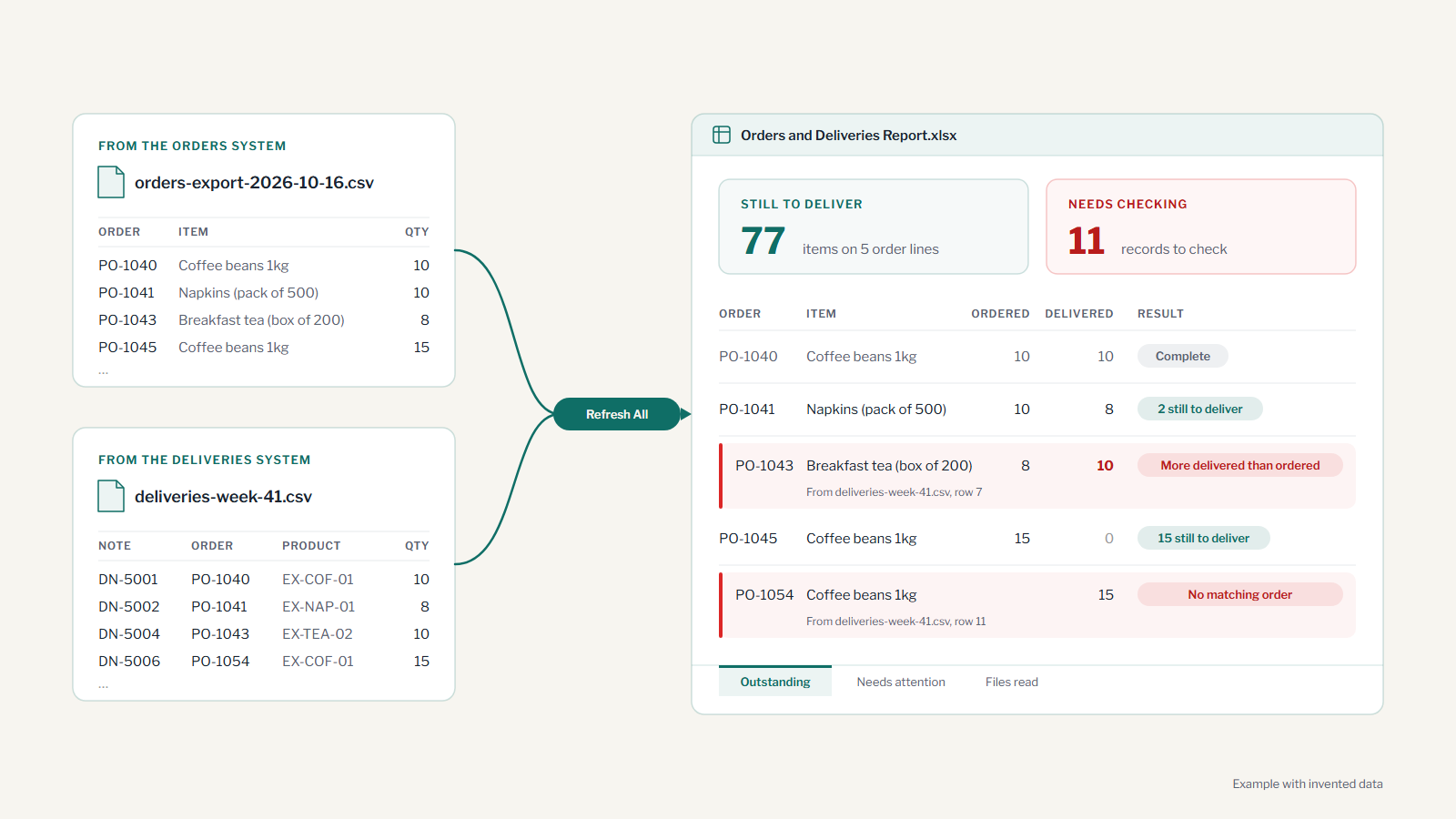
Your team saves the files
Someone downloads the latest files from your order and delivery systems, as they do today, and saves them in one folder.
-
One click builds the report
They open the workbook and click Refresh All. The downloaded files are only read, never changed.
-
You see what's outstanding
For each order line, how many were ordered, how many delivered and how many are still to come, with the file and row each figure came from.
-
And what needs checking
Missing, mistyped or unexpected records are listed separately, so your staff can decide what to do.
Orders and deliveries is one example. The same approach suits other regular reports, such as jobs planned against jobs completed, or weekly sales across several locations. Each is a one-off project for one report: built from a sample of your files, tested, and handed over with a short guide. It runs in your own Excel for Windows, with no monthly fee. Price agreed after looking at your files.