Chapter 14: OAuth and Authentication Fundamentals
1. Why APIs need permission systems
In this chapter you'll learn OAuth 2.0 by building a Python command-line tool that connects to GitHub without ever asking for a user's password. By the end, your app will ask for permission, receive a limited token, and use that token to call the GitHub API safely.
Modern APIs rarely allow applications to authenticate with a user's username and password directly. A third-party app might need access to a user's repositories, playlists, files, calendar, or profile, but handing that app the user's password would give it far more power than it needs.
OAuth solves that problem through delegated access. The user signs in with the provider, approves a specific request, and the provider gives your application a limited token. Your application receives permission to do a job. It never receives the user's password.
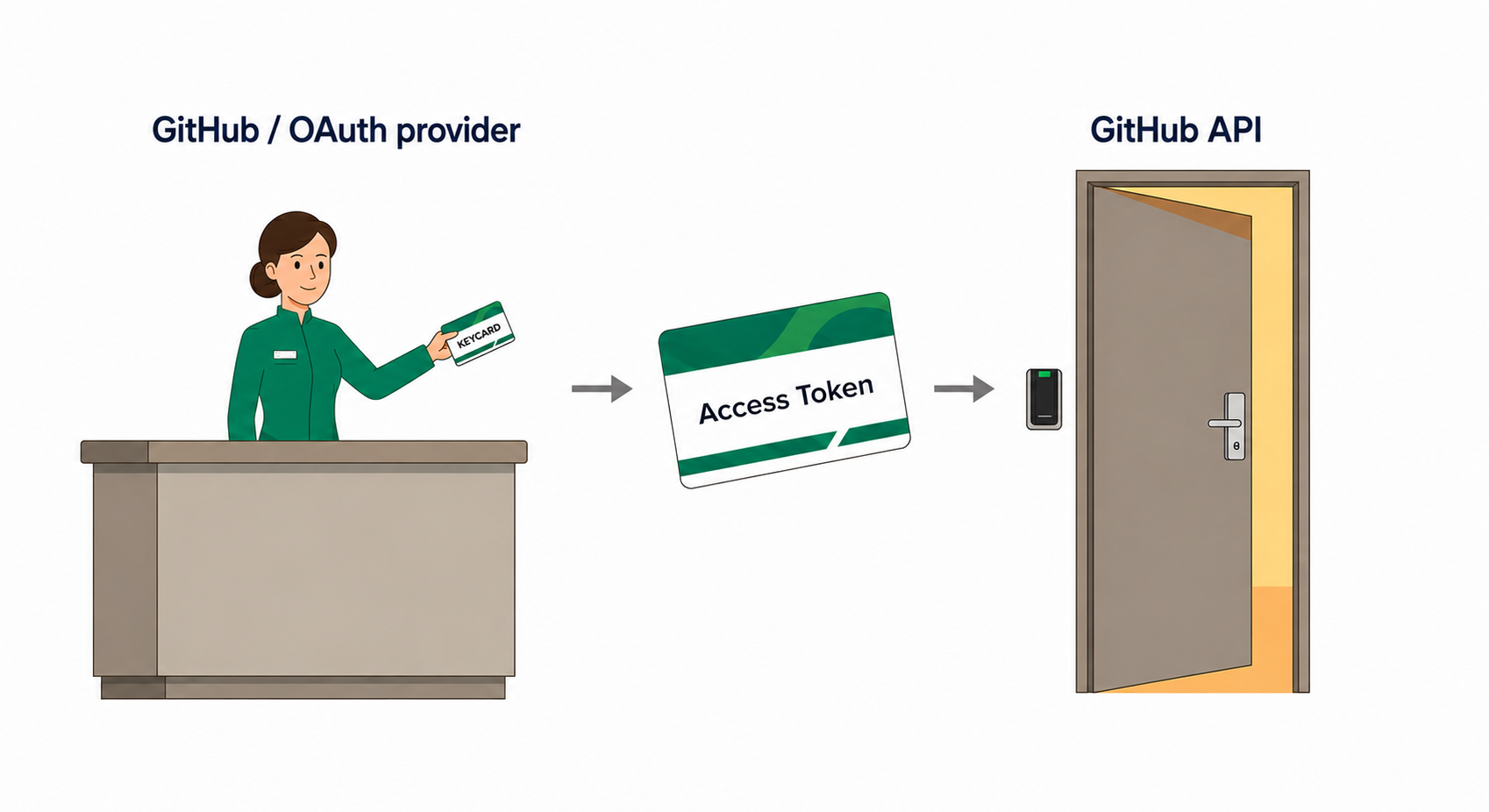
The implementation will include the protections real OAuth integrations need: narrow scopes, a random state value, PKCE, careful redirect handling, and token hygiene. You do not need to understand those terms yet. The chapter introduces each one at the moment the code needs it.
OAuth is an authorization system. It controls what an application is allowed to access. It is not, by itself, proof of who the user is.
Why password sharing failed
Before OAuth became common, third-party applications often asked users for their actual passwords. A scheduling tool, analytics dashboard, or music app would store the user's login credentials and then sign in as that user whenever it needed data.
That model created problems everywhere. The app got full account access, even when it only needed one small feature. Users could not approve one permission while refusing another. Revoking access usually meant changing the account password, which broke every connected app at once.
Platforms needed a safer pattern: let users approve access without exposing credentials directly, let applications ask for limited permissions, and let users revoke one application without destroying every other connection.
OAuth is that pattern. It separates the user's password from the application's permission.
The tool you'll build
Throughout this chapter you'll build the Dev GitHub Tool, a small Python command-line application that connects to GitHub through OAuth. It will open a browser, let the user approve access on GitHub, catch the redirect on localhost, exchange the authorization code, and use the resulting access token to call the GitHub API.
The flow looks like this:
- Your application creates a safe authorization URL with
stateand PKCE. - The user signs in and approves the requested permission on GitHub.
- GitHub redirects back to your local callback URL with a temporary code.
- Your application validates
statebefore doing anything else. - Your application exchanges the code using the original PKCE verifier.
- The access token is used for GitHub API requests without being printed or hardcoded.
You will build the pieces separately first, then combine them into the complete tool. That split matters. OAuth failures are easier to understand when you can point to the exact step that failed: app registration, authorization URL, callback validation, token exchange, API request, scope choice, or token storage.
- Why password-sharing systems failed and OAuth replaced them
- The difference between authentication and authorization
- The four roles involved in an OAuth flow
- Why OAuth uses a temporary authorization code before issuing a token
- How
stateprotects the flow from CSRF attacks - How PKCE binds the authorization request to the token exchange
- How to choose narrow scopes before asking for broader access
- How to handle access tokens without leaking them into code or logs
- How token expiration, refresh, and revocation change production design
- How to debug the most common OAuth failures systematically
requirements.txt, the package list for the chapter examples.env, a local credential file that stays out of Git1_authorization_url.py, a script that builds a GitHub authorization URL withstateand PKCE2_callback_exchange.py, a local callback handler that validatesstateand exchanges the code safely3_github_request.py, authenticated GitHub API calls that avoid printing or hardcoding tokenstoken_manager.py, a provider-general pattern for APIs that issue expiring access tokens and refresh tokensdev_github_tool.py, the complete command-line GitHub developer tool
Read this chapter in order the first time
OAuth is sequence-sensitive. A later step is only safe because an earlier step stored a value, chose a redirect URI, requested a scope, or generated a verifier. Once you've seen the full flow, you can jump around. On a first read, work straight through from top to bottom.
In the next section we'll build the mental model: who participates in an OAuth flow, what each credential means, and why the code-for-token exchange exists in the first place.