
1. Introduction to Testing
API code breaks at the boundaries. A JSON field disappears. A route returns the wrong status code. A login session is missing. An OAuth callback arrives without the state value you expected. Tests give you a way to lock those assumptions down before a user, recruiter, or production deploy finds the problem for you.
In this guide, a test is a small piece of Python code that checks how your application should behave. Some tests check one function in isolation. Others drive a route, session, redirect, or API client and check that the pieces work together.
Here's the cycle you are working towards: write the check once, run it every time the code changes, and let the test suite tell you exactly which assumption broke.
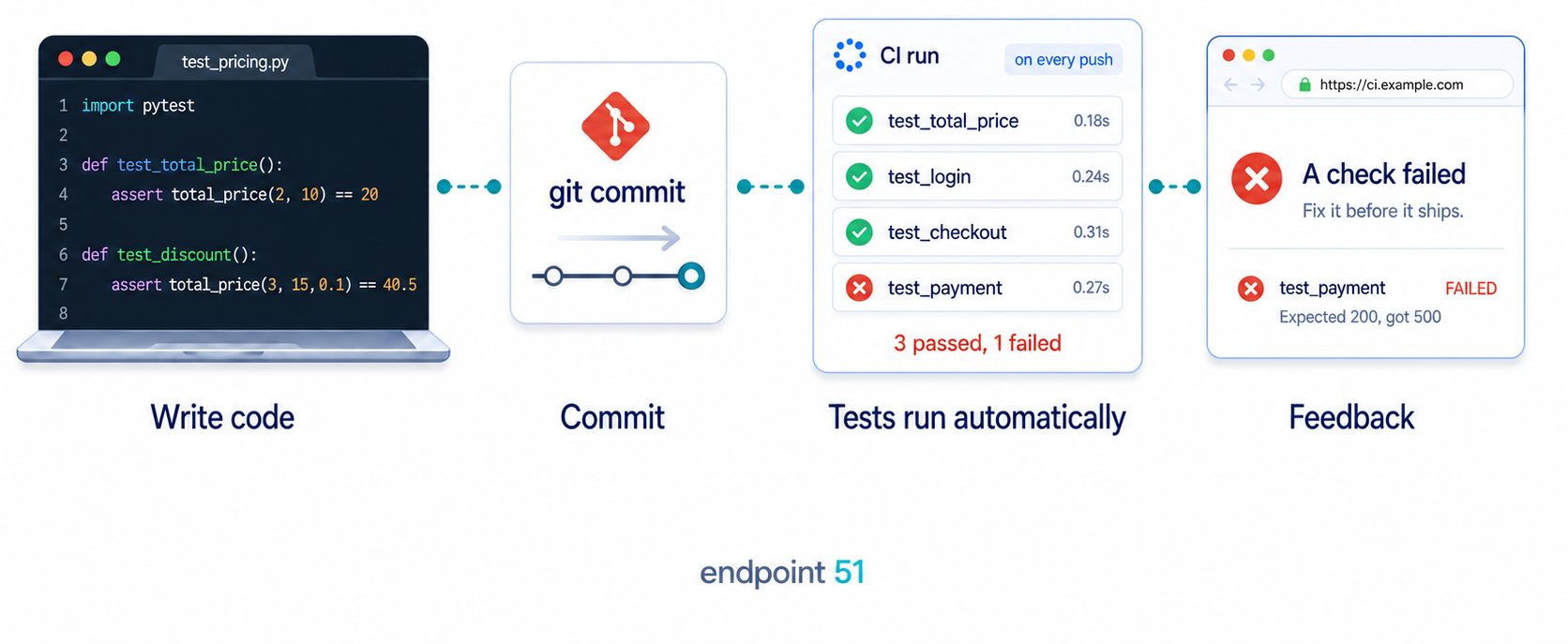
Two kinds of tests you will use
You will see two broad styles throughout this guide:
- Unit tests check one small piece of code, such as a helper function that formats data, validates input, or decides whether a request should be retried.
- Integration tests check how several pieces work together, such as a Flask route reading from the session, calling your API client, and returning the correct response.
The difference is not about which one is "better". Unit tests are useful when the rule is local and easy to isolate. Integration tests are useful when the behaviour only makes sense after several parts of the application are connected.
Mocking in Python API testing
In Python API testing, mocking is the technique of replacing real external components, such as a third-party payment gateway, an external REST API, or your application's database wrapper, with simulated objects using Python's built-in unittest.mock library or pytest plugins.
By substituting HTTP requests with controlled replacements, you isolate your API's route handlers and business logic. This ensures your tests evaluate your code's behaviour without external interference, network latency, or unexpected downtime.
Real-world Python contexts
- The dependency: Instead of making a live network call with
requests.get("https://api.stripe.com/v1/charges"), you intercept it. - The mock object: You use
unittest.mock.MockorMagicMockto simulate the response thatrequests.getwould return. - The isolation: Your test verifies that your code correctly parses a
200 OKJSON payload or gracefully handles a404 Not Foundresponse without ever touching the real internet.
The problem with testing API projects
Simple pytest tutorials usually start with assert 1 + 1 == 2. That's useful for learning the mechanics, but it doesn't answer the question you actually have when you build an API-backed app: how do you test code that depends on HTTP, JSON, status codes, sessions, redirects, and OAuth?
Real API projects have moving parts that a simple unit test will not cover:
- An external API might return
200,404,429, or500, and your app should respond differently to each one. - A Flask route has more behaviour than a return value: URL routing, query parameters, JSON serialisation, headers, redirects, and status codes all matter.
- Authenticated routes depend on session state, but running the full login flow in every test makes the suite slow and brittle.
- OAuth flows depend on redirects, callback parameters, state checks, and token exchanges, none of which should require a real GitHub login during a test run.
This guide shows you how to test those boundaries without turning your test suite into a fake production environment. The app code runs for real. The Flask routes run for real. The session cookie is real. The outgoing HTTP calls are mocked at the boundary, where your code reaches out to a third-party service.
The boundary that makes the suite useful
Good API tests are not about choosing between "mock everything" and "mock nothing". They are about drawing the boundary in the right place for the question you are asking.

In this guide, the boundary changes depending on the layer. A unit test might check a retry rule with no Flask app involved. A route test might run the full Flask view through app.test_client(). An OAuth test might let your callback handler run normally while replacing GitHub's token endpoint with a controlled fake response.
The pattern is always the same: keep your code real, keep the test fast, and replace only the thing that would make the result unpredictable.
Choosing the right test for the job
Once you know the difference between unit tests and integration tests, the practical question becomes: which one should you write?
If the behaviour lives inside one function, start with a unit test. If the behaviour depends on routing, sessions, redirects, templates, database access, or an API client, use an integration test.
When a unit test fits
A unit test checks one small piece of logic in isolation. It doesn't start Flask, touch a database, or make a network request. That makes it fast, precise, and easy to understand when it fails.
For API code, unit tests are useful for small rules that should not depend on the outside world. A retry policy is a good example: 500 and 429 should be retried, but 404 should not.
from weather.retry import should_retry

def test_retry_policy():
    assert should_retry(500) is True
    assert should_retry(429) is True
    assert should_retry(404) is False
A test like this runs instantly. If it fails, you know the retry rule changed. You don't need to inspect Flask, requests, credentials, or a live API response.
When an integration test fits
An integration test checks that several pieces work together. For a Flask API, that usually means sending a request through the test client and asserting on the real response: the status code, JSON body, headers, redirects, and session behaviour.
Most of this guide is integration testing with a careful boundary. Your Flask app runs in-process. Your routes and handlers execute normally. Your tests still avoid real network calls, because live APIs make a suite slow, flaky, and dependent on credentials that should not exist in CI.
What you'll build
You'll build a small Flask API for weather lookups, wire it to an OpenWeather-style client, add protected routes, add a GitHub OAuth callback, and test the whole thing in layers. By the end, you'll have a suite that covers the parts that usually make API projects fragile: HTTP clients, route behaviour, upstream failures, authenticated sessions, OAuth state checks, and repeated edge cases.
Every section is follow-along. Every file has a save location. Every test has a pytest command and expected output. You can type along in your editor and finish with a working suite that runs in seconds.
How the guide is organised
- Set up the project: create the virtual environment, install pytest, and freeze the dependencies.
- Write your first test: learn pytest's discovery rules, run a passing test, and read a failing assertion.
- Unit test API logic: test small functions that parse, validate, transform, and decide.
- Mock HTTP at the boundary: intercept outgoing requests with
responsesand test both success and failure paths. - Test Flask routes: use Flask's test client instead of starting a real server on
localhost. - Test authenticated routes: inject session state directly instead of logging in through the UI every time.
- Test OAuth flows: verify redirects, callback handling, state protection, token exchange, and upstream failure paths.
- Compose the production suite: layer fixtures, parametrise edge cases, and run the suite on every push with GitHub Actions.
Who this is for
This guide is for Python developers who can build a Flask route, call an API with requests, and parse JSON, but don't yet have a test suite they trust. If you can make the app work manually but feel nervous changing it afterwards, you are exactly the reader this guide is written for.
You don't need previous testing experience. The guide assumes Python 3.10 or later, basic Flask, basic requests, and a local editor. Everything installs with pip, runs locally, and uses no paid API calls.
Frequently Asked Questions
Should I mock requests or use a real test server?
Mock outgoing HTTP calls for most tests. That keeps the suite fast, deterministic, and safe to run without credentials. Use Flask's test client for route tests instead of starting a real server. Save real servers and live third-party APIs for a tiny number of smoke tests, where the point is to confirm the deployed system talks to the outside world.
What is the difference between unit and integration tests for an API?
A unit test checks one small piece of logic with no Flask app, database, or network involved. An integration test checks several pieces together, such as a Flask route, its handler, the session, and the response shape. This guide uses both, but most of the value comes from integration tests with the network mocked at the HTTP boundary.
Do I need real API credentials to run these tests?
No. The suite replaces external calls with controlled responses, so it runs without live credentials, network access, or API cost. That is what makes it suitable for continuous integration and repeated local runs.
Is this only for Flask?
The route examples use Flask because its test client is simple and widely used, but the testing ideas transfer to FastAPI, Django, and other Python web frameworks. The important patterns are the boundaries: unit test small logic, exercise routes through the framework's test client, and mock outgoing HTTP calls instead of calling live services.
The book behind the guide
This guide stands on its own. It is also a sample of how Python Developer: From Requests to Production teaches production habits: build the app, test the real behaviour, and keep the suite fast enough that you actually use it.
The full book goes further with a Spotify-powered listening history dashboard: OAuth, SQLite persistence, scheduled monthly snapshots, in-memory database fixtures, coverage, and a GitHub Actions pipeline that runs the test suite on every push. The testing chapter finishes with 43 tests running in under 3 seconds.
The book has 30 chapters, 6 portfolio projects, and 800+ code examples. It is built for developers who want to move from "I can make API calls" to "I can build, test, and deploy a production API service." Choose Part II for the testing and production curriculum, or the Complete Package for all 30 chapters.
See the full curriculum → Get Part II ($49, lifetime access) →