3. Anatomy of a webhook request
The 10-minute prototype proved the round trip works. This section pulls a real webhook apart byte by byte: what GitHub puts in the headers, what shape the JSON payload takes, and which fields a production receiver actually reads. By the end you will have a logging Flask receiver that prints every field of every incoming request, so you can see exactly what is on the wire before you start verifying signatures and persisting events in the next sections.
Dissecting a webhook HTTP request
A webhook is an HTTP POST. Same protocol you have been using for 21 chapters, just with the direction inverted (provider POSTing to you, not you POSTing to a provider). Here is a simplified GitHub webhook delivery for an issues event:
POST /webhooks/github HTTP/1.1
Host: example.com
User-Agent: GitHub-Hookshot/123abc
Content-Type: application/json
X-GitHub-Event: issues
X-GitHub-Delivery: 123e4567-e89b-12d3-a456-426614174000
X-Hub-Signature-256: sha256=abcdef1234567890...

{
  "action": "opened",
  "issue": {
    "number": 42,
    "title": "Bug report: login button not working"
  },
  "repository": {
    "full_name": "your-user/your-repo"
  },
  "sender": {
    "login": "octocat"
  }
}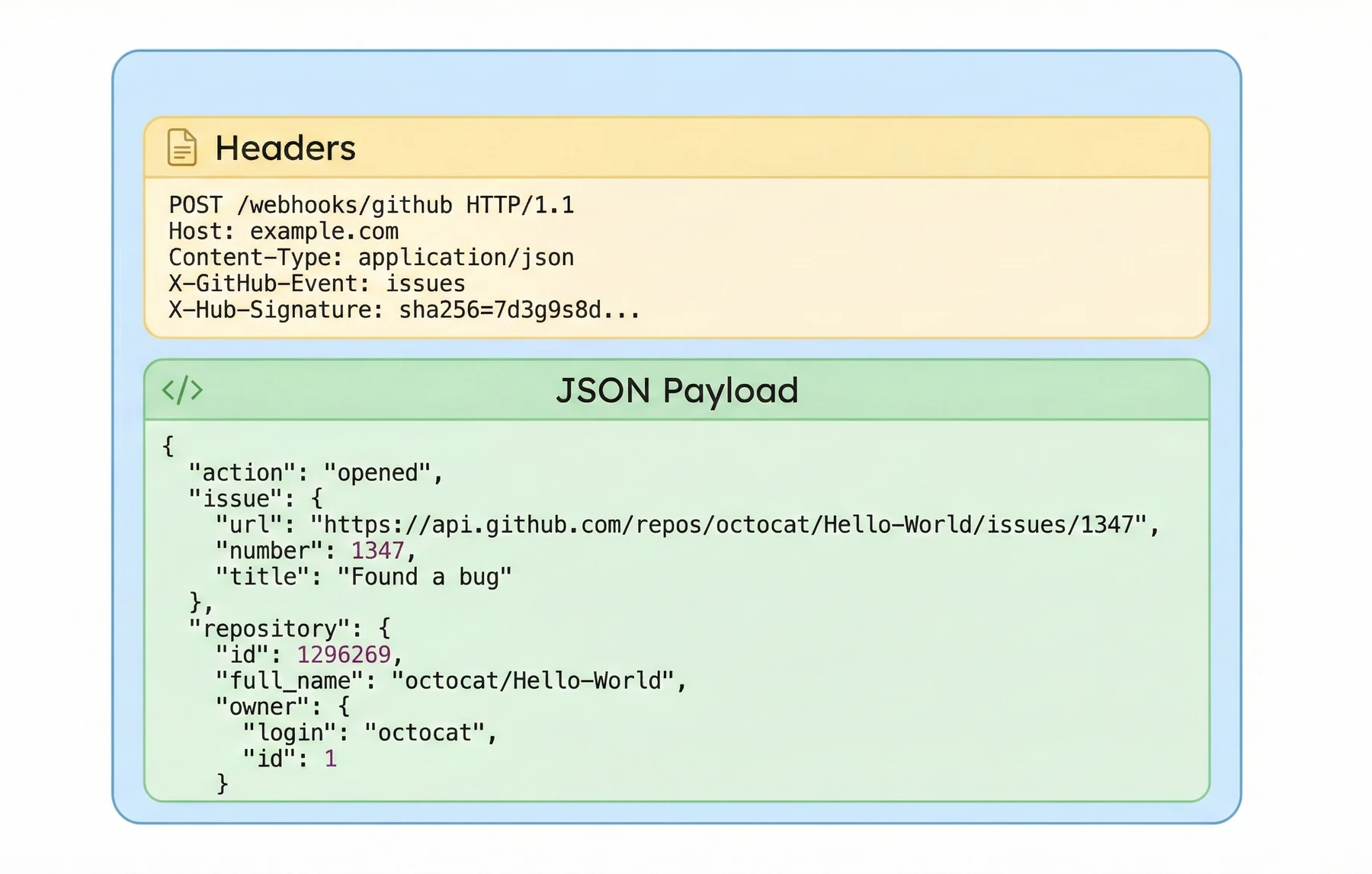
There are three important parts here:
-
URL: The path
/webhooks/githubis the route in your application that will handle GitHub events. -
Headers: Custom headers such as
X-GitHub-Event,X-GitHub-Delivery, andX-Hub-Signature-256tell you what happened, identify this delivery, and allow you to verify that the request is genuine. - JSON body: The payload contains the full event details: the issue that was opened, the repository it belongs to, and the user who triggered it.
Your job as a webhook receiver is to read all three: route the request by URL, understand the headers, and parse the JSON payload. In the next subsection you will build a small Flask application that does exactly that.
A logging webhook receiver
Extend the receiver from Section 2 with full logging so you can see exactly what GitHub is sending. The new version still exposes /webhooks/github, but it pulls every header field that matters and prints the full payload dictionary. Save this as logging_receiver.py:
from flask import Flask, request, jsonify

app = Flask(__name__)

@app.post("/webhooks/github")
def github_webhook():
    # Headers that describe the event
    event_name = request.headers.get("X-GitHub-Event", "unknown")
    delivery_id = request.headers.get("X-GitHub-Delivery", "no-delivery-id")

    # JSON payload (may be empty if something went wrong)
    payload = request.get_json(silent=True) or {}

    print(f"Received GitHub event: {event_name} (delivery {delivery_id})")
    print("Payload:", payload)

    # Respond quickly to acknowledge receipt
    return "", 200

if __name__ == "__main__":
    # Run the app for local testing
    app.run(debug=True, port=5000)
This handler does three simple things:
- Reads metadata from headers so you know what type of event it is and which delivery you are processing.
-
Parses the JSON payload with
request.get_json(silent=True)and falls back to an empty dictionary if parsing fails. -
Logs everything, then returns a fast
200 OKwith an empty body.
Even at this early stage, notice the pattern: the handler does not do any heavy work before returning. Later in the chapter you will move the real processing into background code and add signature verification, but the basic shape of the route will stay the same.
Testing your webhook endpoint locally
Before involving GitHub, test this endpoint with curl so any failure points at your code rather than at GitHub's side. Start the Flask app:
python logging_receiver.py
With the app listening on http://localhost:5000, send a fake issues event:
Send a test webhook with curl
curl -X POST "http://localhost:5000/webhooks/github" \
  -H "Content-Type: application/json" \
  -H "X-GitHub-Event: issues" \
  -H "X-GitHub-Delivery: test-delivery-123" \
  -d '{
    "action": "opened",
    "issue": {
      "number": 42,
      "title": "Bug report: login button not working"
    },
    "repository": {
      "full_name": "your-user/your-repo"
    },
    "sender": {
      "login": "octocat"
    }
  }'
In your Flask console you should see output similar to:
Received GitHub event: issues (delivery test-delivery-123)
Payload: {'action': 'opened', 'issue': {'number': 42, 'title': 'Bug report: login button not working'}, 'repository': {'full_name': 'your-user/your-repo'}, 'sender': {'login': 'octocat'}}
The reason to test with curl first is debugging discipline: when the route behaves correctly with a hand-crafted request, any subsequent failure with a real GitHub delivery has to be in the bridge (ngrok config, payload URL, GitHub webhook setup) rather than in your code. Get the local loop right, then add the external pieces one at a time.
Section 4 strengthens this receiver by persisting events to SQLite, handling GitHub's retry-on-failure deliveries idempotently, and moving slow downstream work onto a background worker so the HTTP response stays fast.