How it works
The integration needs access to your product catalogue, current prices and any customer-specific terms. It saves drafts in your quoting system if that system accepts them from other software, or prepares them in an agreed template.
-
Reads the customer's request
The integration picks out the customer details, requested items, quantities and specifications from the email and any attachments in the agreed formats.
-
Matches products and applies your pricing rules
The integration looks up catalogue matches, current prices and customer terms. It checks availability where your systems provide it, applies approved discount and tax rules, and flags unclear or unavailable items.
-
Prepares the quote for approval
When the checks pass, the integration prepares a draft. Your team decides on substitutions, discount exceptions and commitments, then approves and sends the quote.
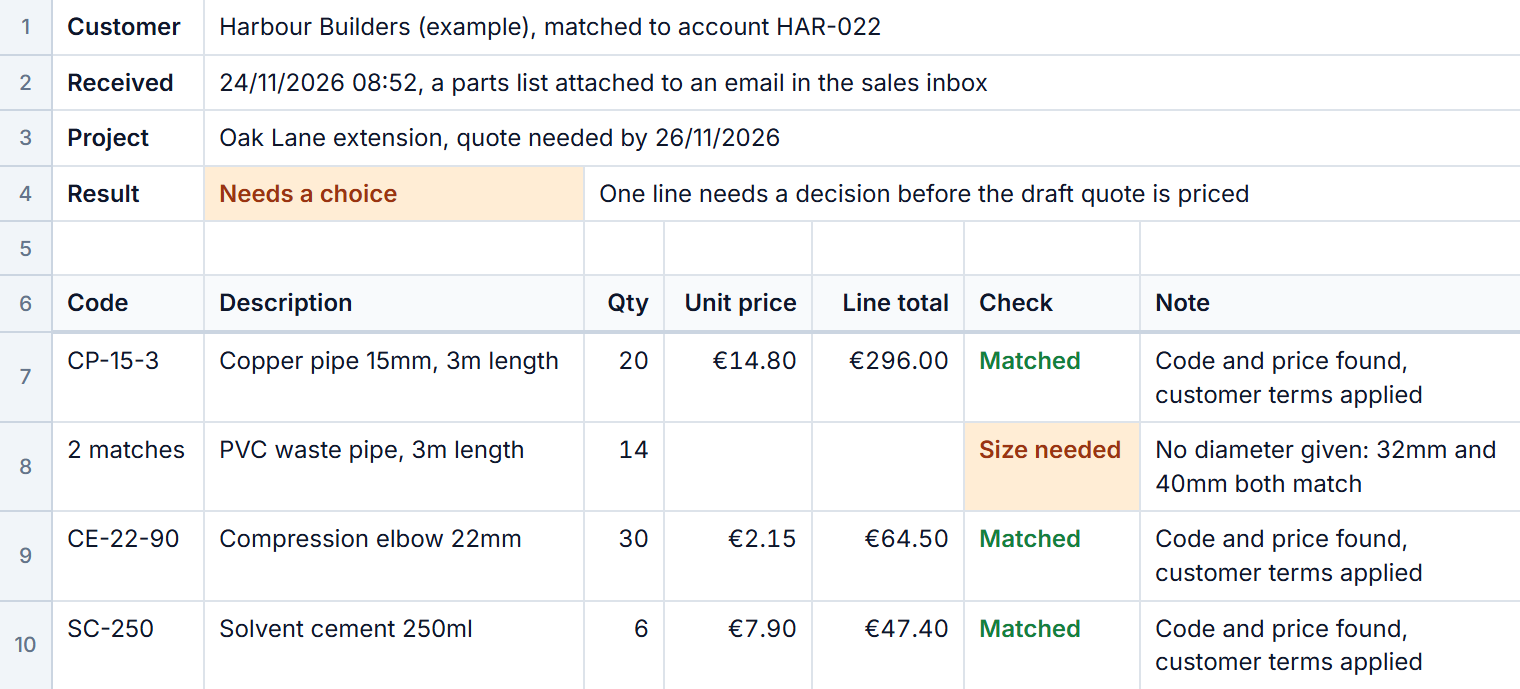
Quote request review list
The review list shows which requests have a draft ready and which need a decision. The two examples below follow the first two rows.

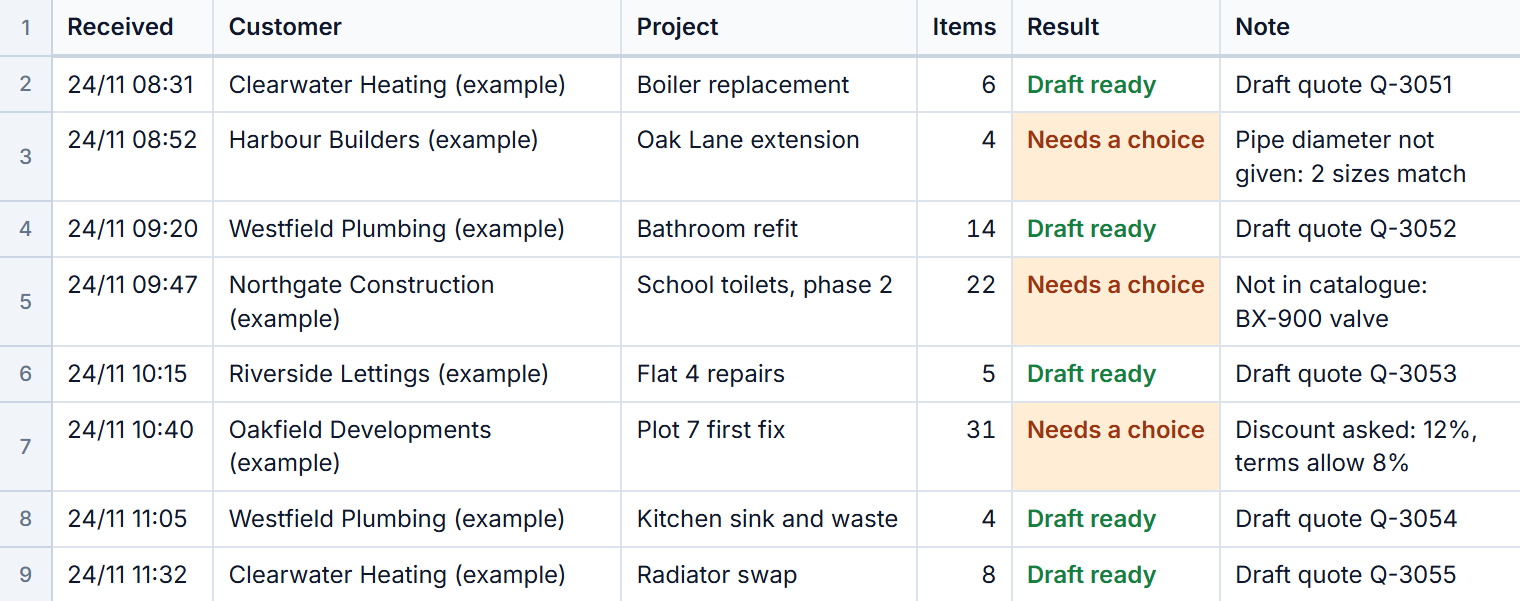
Draft quote for approval
The quote your customer would receive, held as a draft. For Clearwater Heating’s boiler replacement, the integration matched the six requested items to your catalogue and applied the account’s 8% trade discount. Your team approves it and sends it.

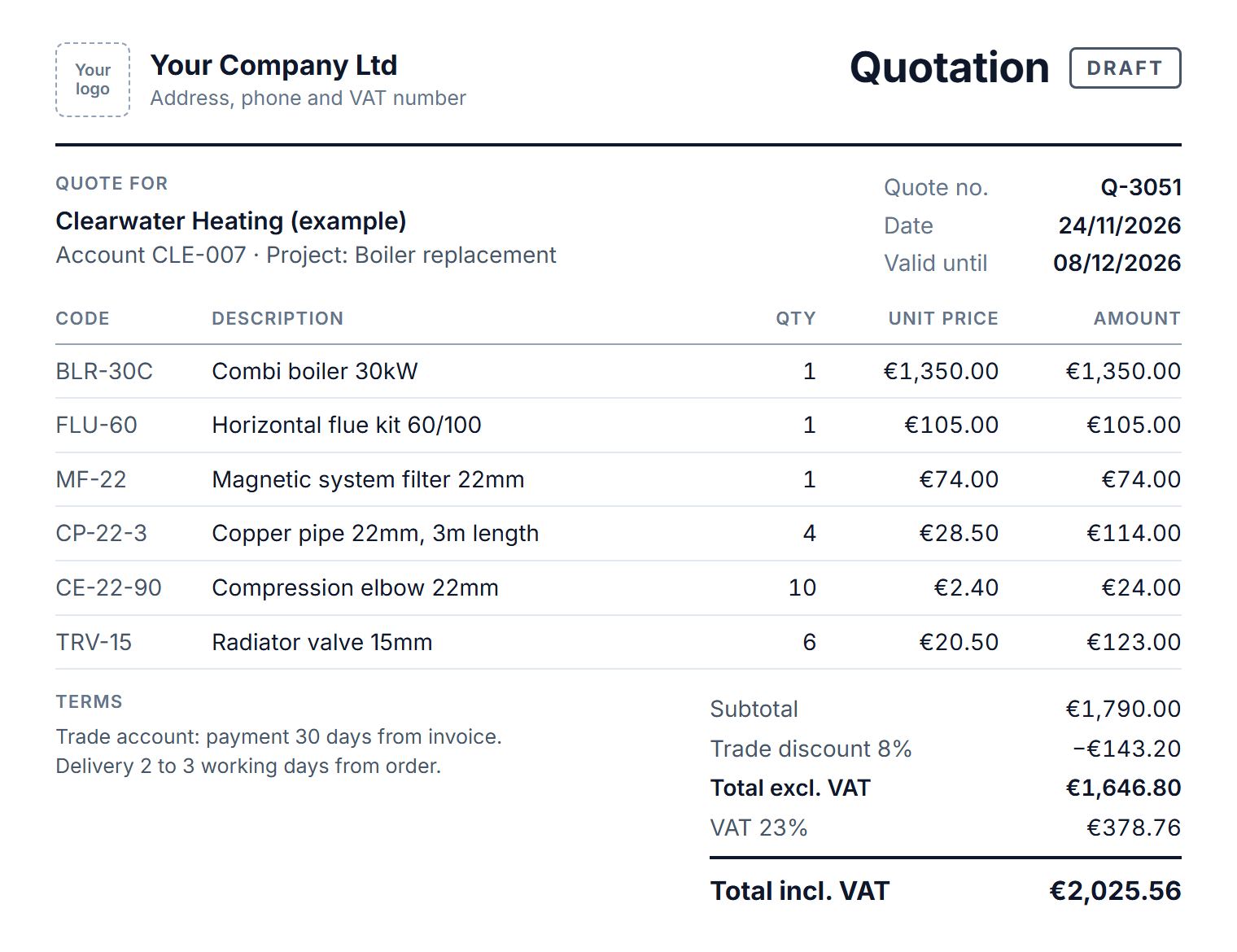
Request that needs a decision
The integration flags Harbour Builders’ request in the review list. The request gives no diameter for the PVC waste pipe, and both 32 mm and 40 mm match. Your team confirms the size before the line is priced.

Engagement process
-
Free first conversation
We’ll start by email or on a short call. Tell me how quote requests arrive, where your team looks up prices and which items take the most time to quote.
-
Technical assessment and fixed quote
If the workflow looks like a fit, the €750 + VAT assessment checks whether your catalogue, prices and customer terms can reliably support draft quotes. I’ll give you a fixed quote for the build and confirm where the automation will run in your accounts, where drafts will go and any ongoing software costs. If you book the build within 30 days of receiving the written assessment, I’ll deduct €750 from the build price.
-
Build, test and hand over
The first build covers one catalogue, one price source and one quote template. We’ll test a straightforward request, one with a missing specification and one that needs a discount decision before your team uses it on live enquiries.