How it works
The integration needs access to your customer, product and pricing records. It also needs a way to save draft sales orders in your order system.
-
Reads the incoming purchase order
The integration picks up orders from one inbox and captures the order number, customer reference, product codes, quantities and delivery details from the agreed formats.
-
Checks it against your records
The integration matches the customer and products in your order system. It checks quantities, prices, required fields and possible duplicates, along with stock levels where available.
-
Drafts a sales order in your order system or flags an issue
When the checks pass, the integration creates a draft sales order for your team to review and confirm. It holds orders with an unclear product match, a price difference or a missing detail and records the reason in the review list.
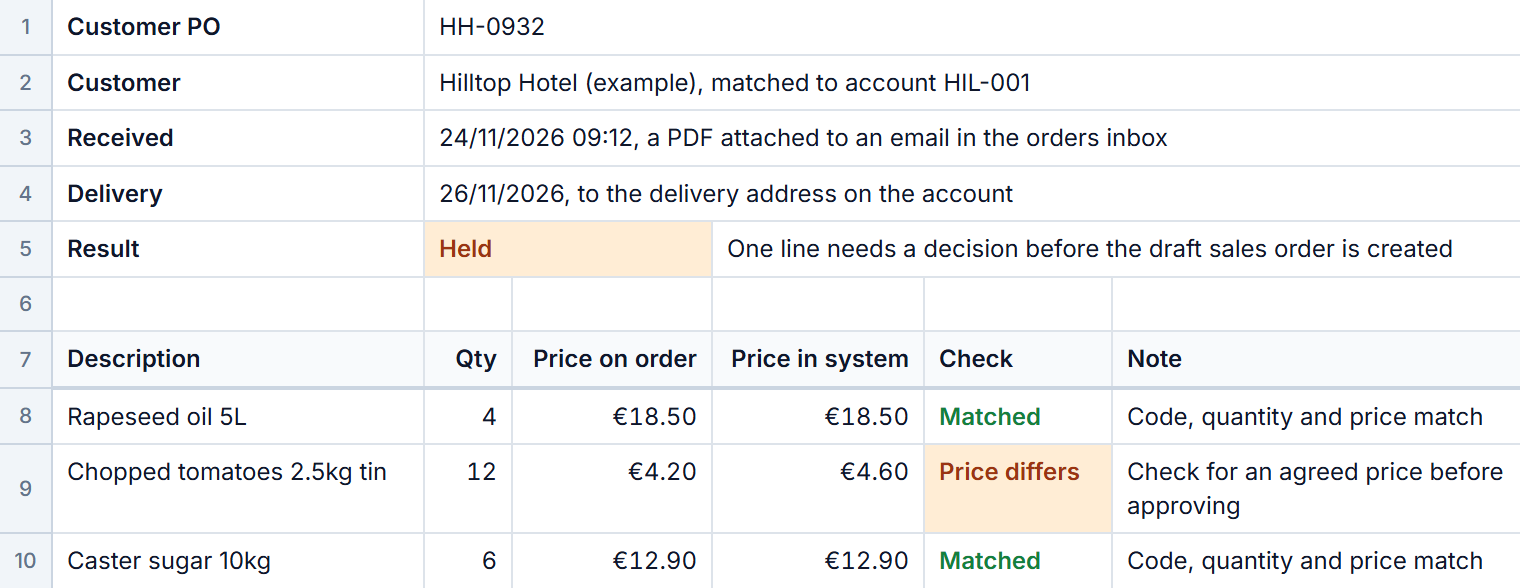
Review list
The integration produces a review list for your team. It shows which orders have a draft sales order ready in your system and why others are on hold.

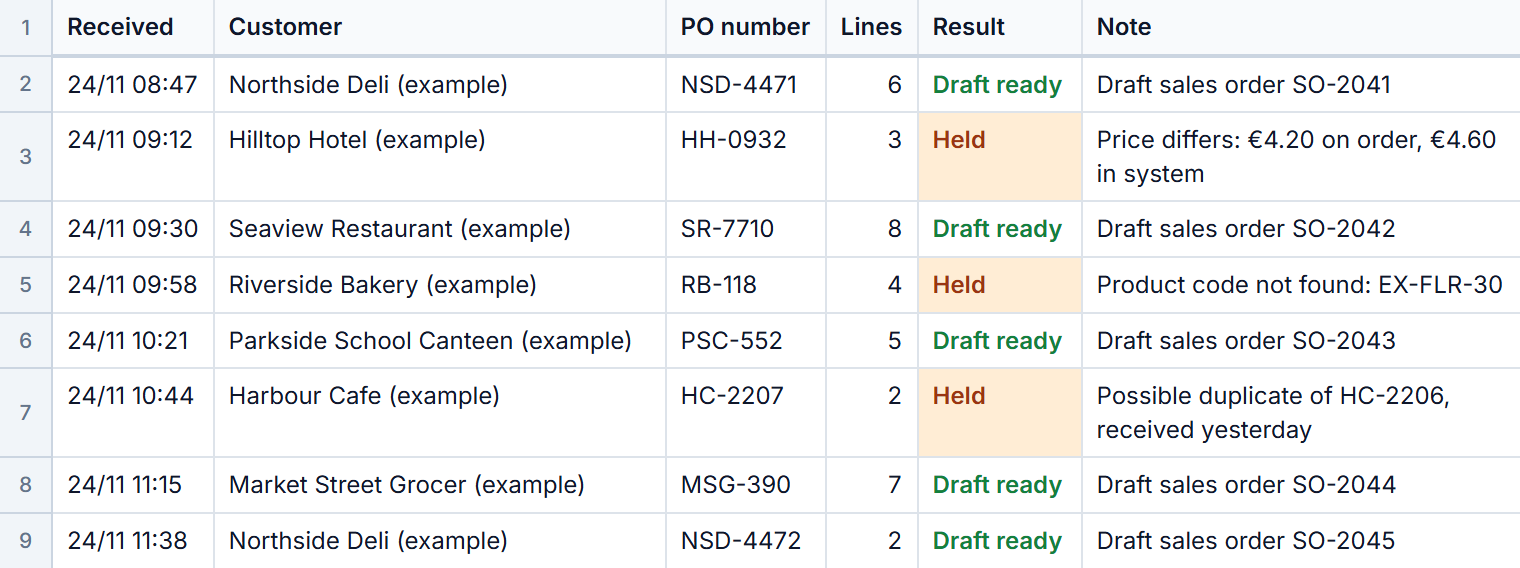
Draft sales order in your order system
The integration creates the draft in your own order system, where it appears like any other sales order. All six lines on Northside Deli’s order match your records.

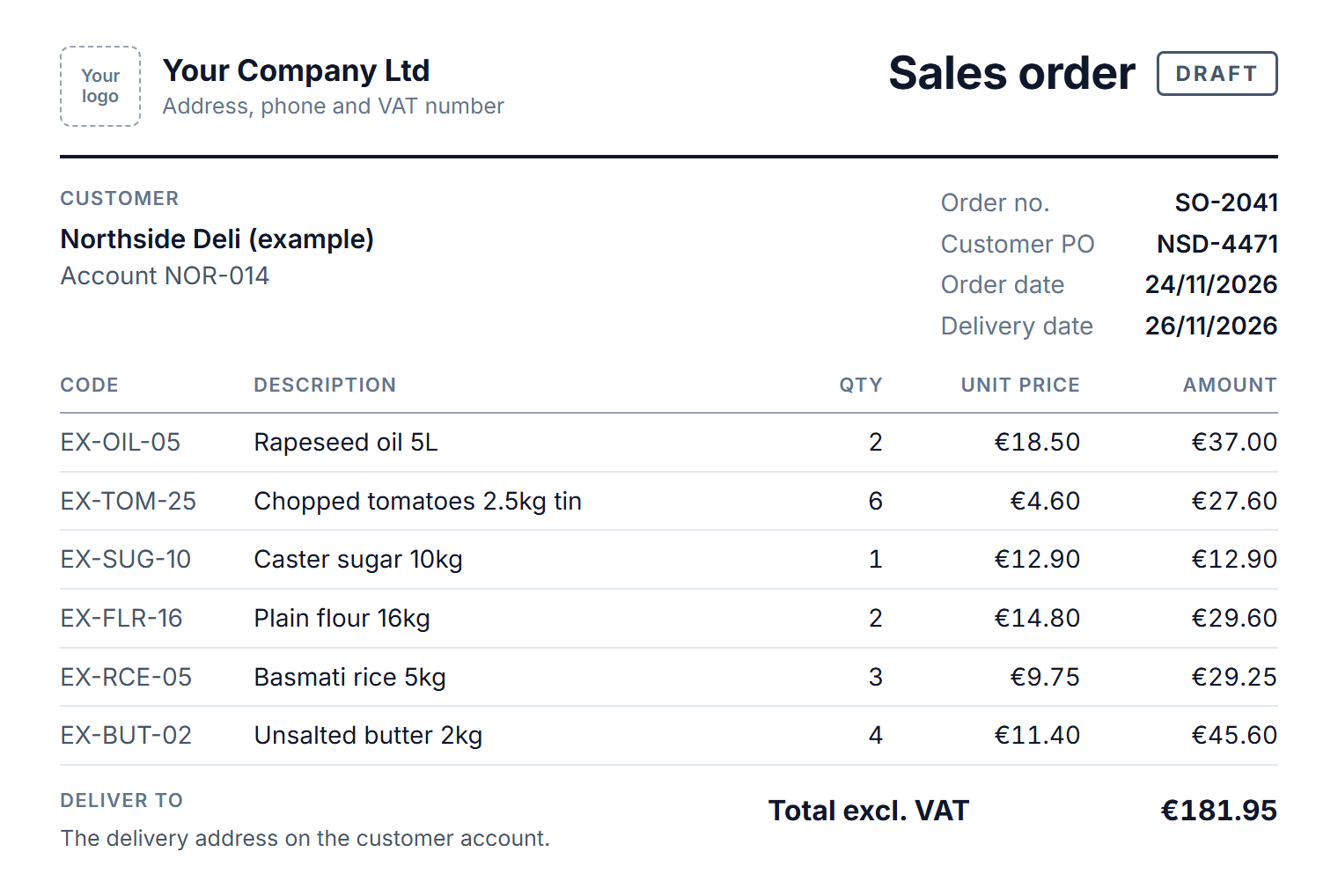
Order held for a price check
The review list flags Hilltop Hotel’s order for a price check. The purchase order shows €4.20 a tin for chopped tomatoes. Your order system shows €4.60, so your team checks which price applies before a draft is created.

Engagement process
-
Free first conversation
We’ll start by email or on a short call. Tell me how orders arrive, which system they go into and what your team checks by hand.
-
Technical assessment and fixed quote
If the workflow looks like a fit, the €750 + VAT assessment checks your order formats, how long entry takes today and whether your system can accept draft sales orders. I’ll give you a fixed quote for the build, explain where the automation will run in your accounts and set out any ongoing software costs. If you book the build within 30 days of receiving the written assessment, I’ll deduct €750 from the build price.
-
Build, test and hand over
The first build covers one inbox, one order system and the formats we agree. We’ll test a routine order, a price difference and a possible duplicate with your team before you use the automation on live orders.